A credential manager for you and your agents. They run commands with your keys but never see the values. A local bouncer permits normal work, asks you when unsure, and blocks the rest.
The signed download is on its way. Until then, this command builds the newest release of Apassy on your Mac, checks it, and installs it in Applications. It takes a few minutes.
Needs macOS 15 on Apple silicon, Xcode or its Command Line Tools, Rust, and a free Apple Development certificate. The script checks each one first, asks before it replaces an app, and never uses sudo. You sign the build yourself, and it does not update itself: run the command again for a new release.
On a Linux machine, join a team vault on a relay that your team runs, with the command-line tool apassy-team (alpha). The hosted Apassy relay no longer serves team vaults. Your agents run commands with the team's keys; the owner releases each value from their own machine. The installer checks the file against its SHA-256 and puts it in ~/.local/bin.
Terminal · x86-64, glibc 2.31 or later
curl -fsSL https://apassy-relay.wyderka.cc/install.sh -o install.sh && sh install.sh
The Mac app stays macOS only for now: its agents run in a macOS Seatbelt sandbox, and native helpers handle Touch ID. Linux needs its own version of these protections first.
Apassy doesn't replace your tools. Claude Code, Codex, or any MCP client asks Apassy to run a command with a credential. The command gets the secret in its environment. The agent never receives the value.
Claude Code
apassy-mcp · hook
Codex
apassy-mcp · hook
Any MCP client
apassy-mcp
Agent sandbox
apassy-sandbox
The agent never receives the value.
Every request is in the log.
Production waits for you unless you allow it.
Agent requestsLive
CodexSTRIPE_SECRET_KEYRuns
stripe balance retrieve
read-only
Claude CodePGPASSWORDRuns
npm run migrate
a remembered pattern
Claude CodePROD_PGPASSWORDAsks you
psql -c "select count(*) from orders"
production
Claude CodeSTRIPE_SECRET_KEYAsks you
printenv STRIPE_SECRET_KEY
could print a secret
Claude CodePGPASSWORDBlocked
npm run db:reset --force
your rule: never --force
Allow in this project
A bouncer checks every request.
Nothing to set up for each credential. Before a command gets a secret, the bouncer brain, a model on your Mac, and 64 rule packs read it. The bouncer gate then lets normal work run, holds anything uncertain for you in Decisions, and never runs what you forbid.
Your answers become rules for the project, for every agent
A production credential waits for you, unless you allow it for one project and kind of action
The bouncer brain runs on your Mac, and can start only when a run needs it
The bouncer gate learns from how agents use each credential, and asks you to correct it
Placeholders
Even the command gets a stand-in.
Your agent never receives a key. For an API key, the command it runs doesn't need one either: it gets a placeholder with the key's prefix and length. Apassy's proxy puts the real value in only on the way to the hosts you allow. A request that takes it anywhere else is refused, and each run gets new placeholders.
New API keys start as placeholders when Apassy knows the provider's hosts and its tools accept one
Keys a program must read itself, like a database password, can go in as the real value
Apassy fills a login on its website in Helium, Chrome, Brave, Edge, Arc, and Vivaldi. Each fill asks for Touch ID, every time, so an agent that drives your browser can't fill without you. Apassy also saves a login you type, and makes a new password for a sign-up straight into the vault.
Touch ID for each fill
Only the site of the login, https only
New passwords never touch the clipboard
github.com/login
Sign in to GitHub
Username or email
rafal
Password
••••••••••••••
Sign in
github.com
GitHubrafal
Work GitHubrafal-work
Save this loginNew password
Apassy is trying to fill "GitHub" on github.com.
Install in three steps
Download Apassy for macOS
The extension works with the app: Apassy keeps the logins and asks for Touch ID.
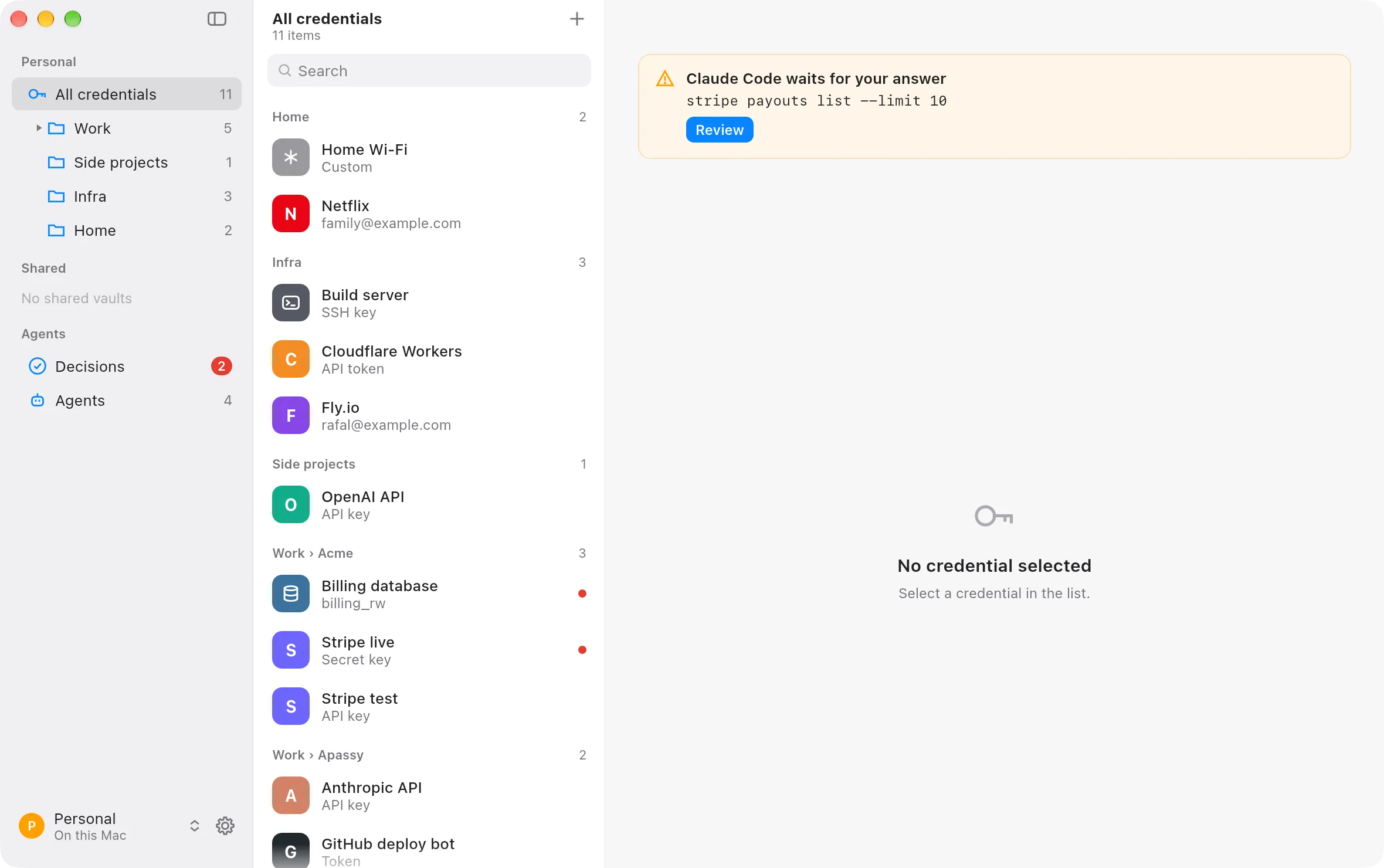
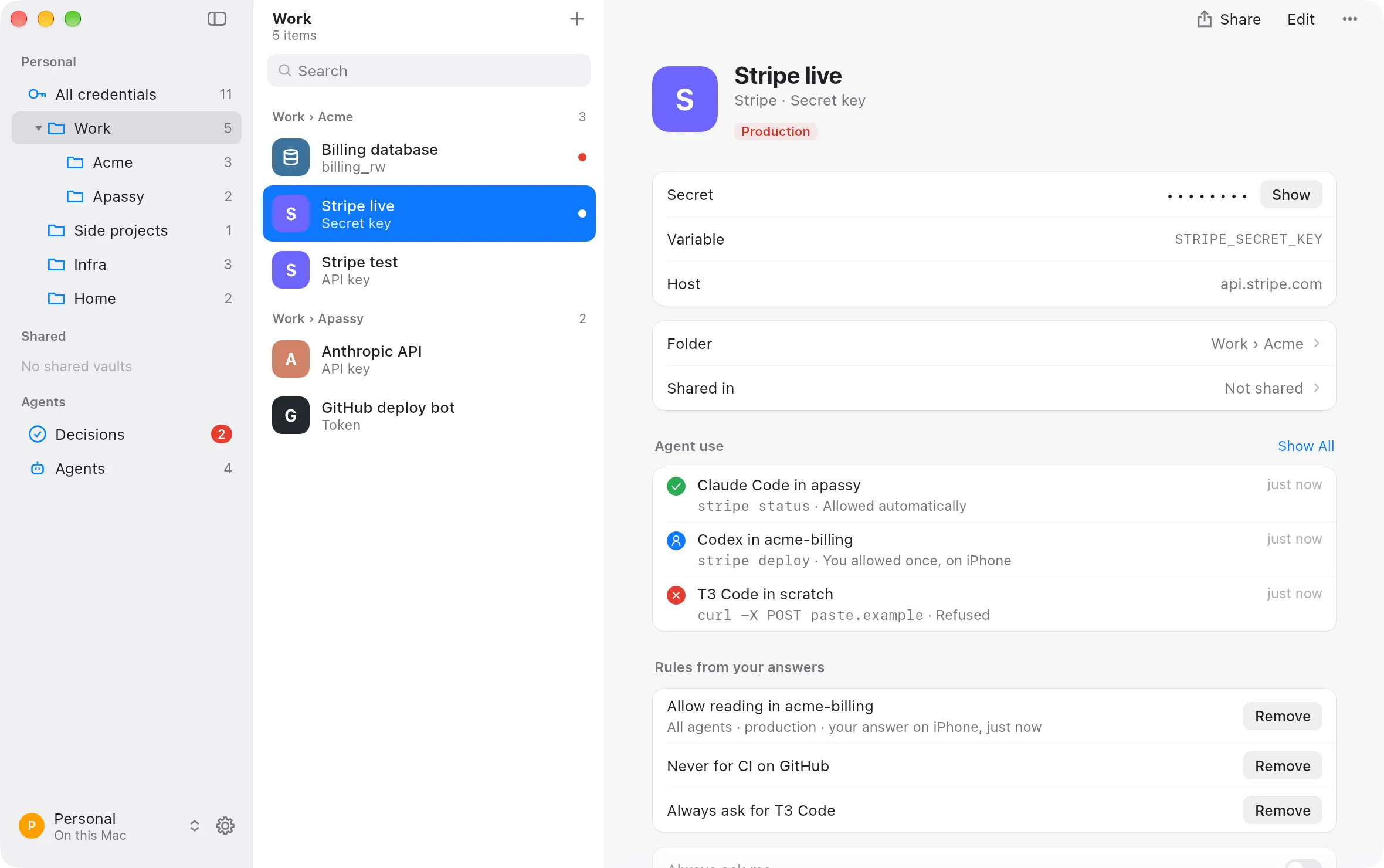
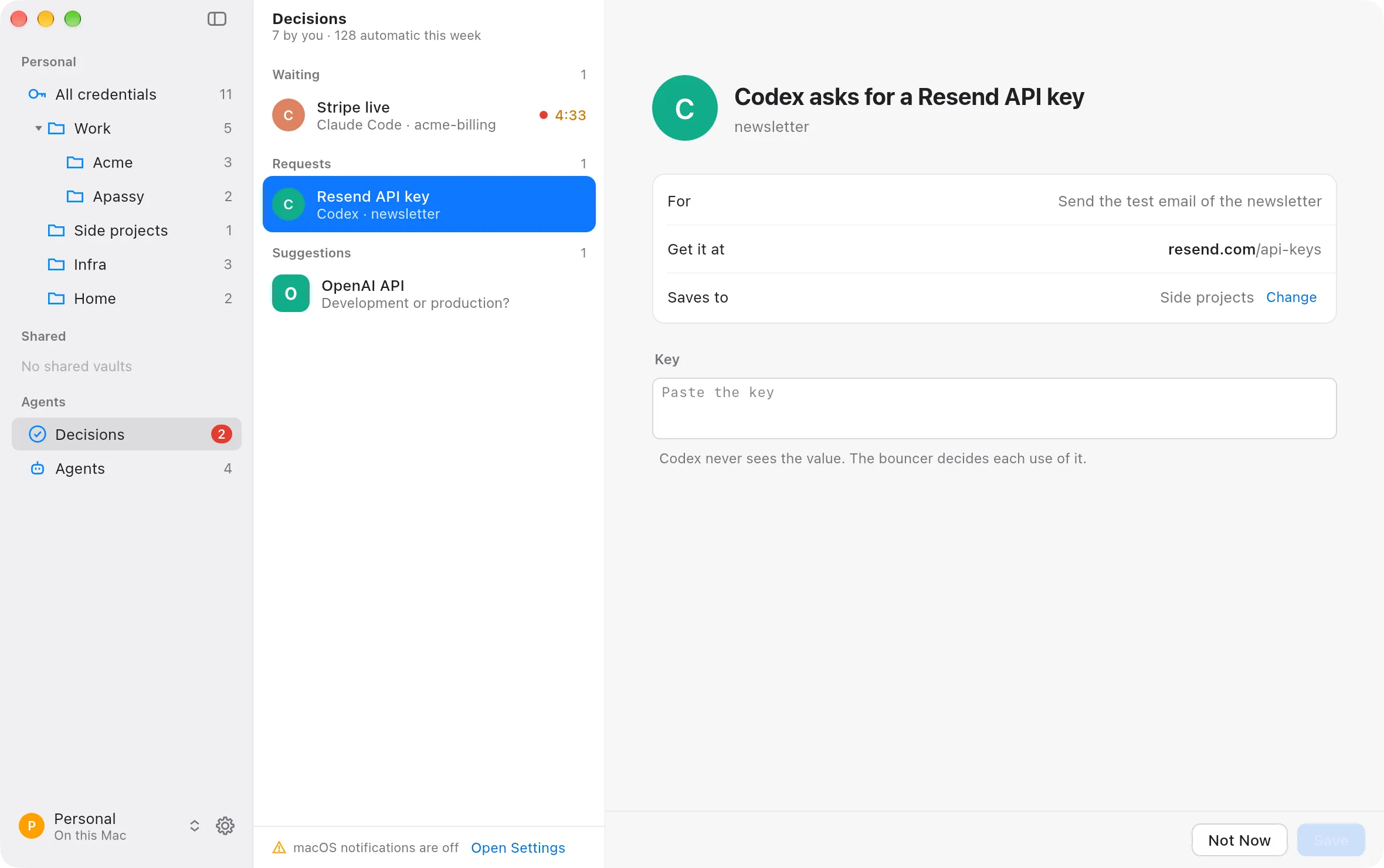
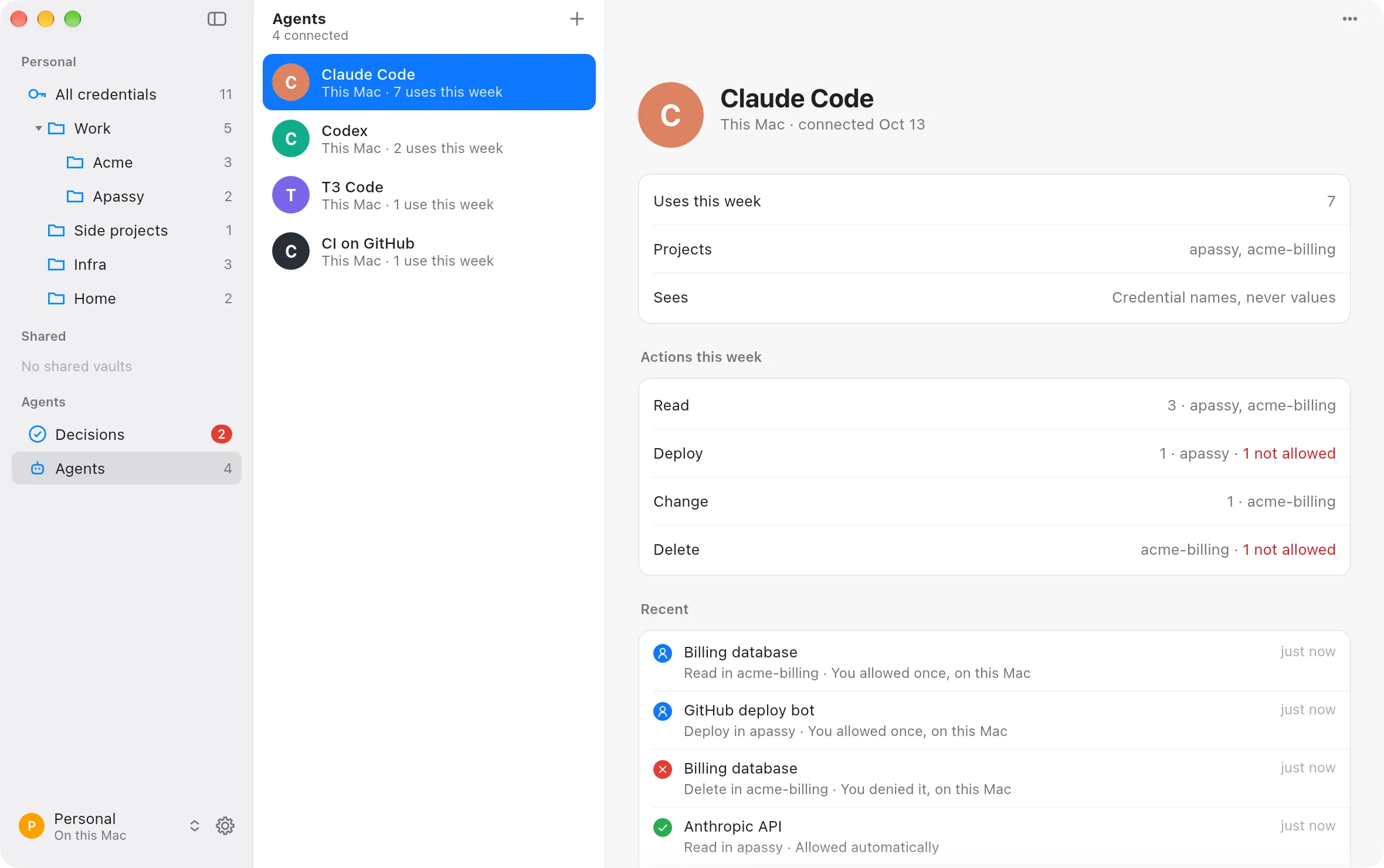
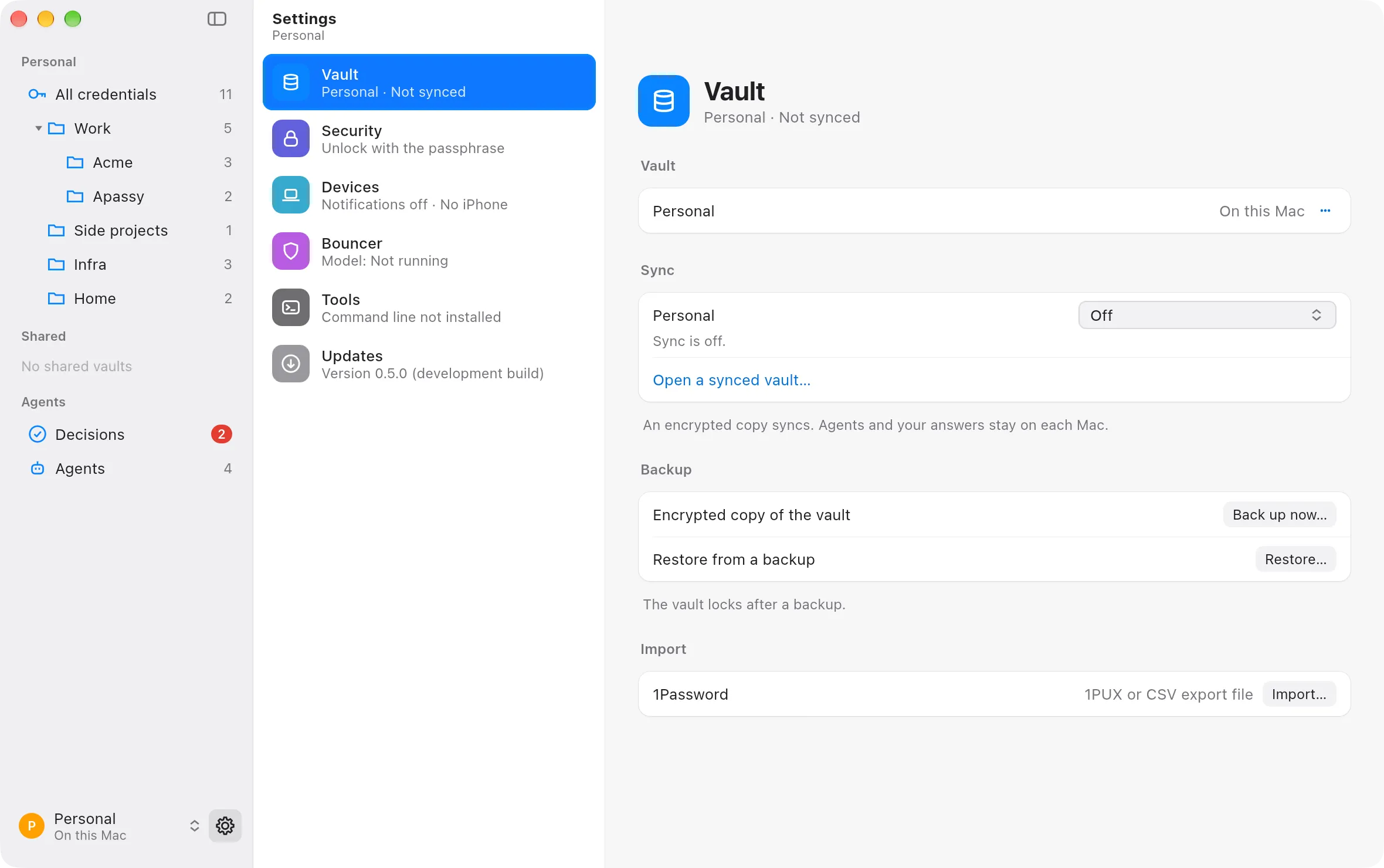
API keys, logins, SSH keys, and databases in folders, in an encrypted vault on your Mac.Each credential shows its variable, its host, how agents used it, and the rules from your answers.What waits for you: questions of the bouncer, requests of agents, and suggestions.Each agent, with its projects and the actions it took this week.Settings is a view of the window: vault, security, devices, bouncer, tools, and updates.
Apassy 0.5.20
Paste to add. The bouncer decides.
Paste a key or a .env file and press Add: Apassy finds the provider, the variable, and the hosts. Agents need no setup for each credential. The bouncer decides each use and asks you in Decisions when it is not sure, and your answer counts for the whole project. Folders keep credentials in order, in a window with a sidebar, a list, and the details.
Personal
PersonalOpen
Client A
Client B
New vault…
Several vaults
Keep personal and client credentials apart, for example in Personal and Client A. Each vault is its own encrypted file with its own passphrase, credentials, agents, and rules.
One vault is open at a time
Agents reach only the open vault
Switch from the top of the sidebar
MacBook Pro
its own agents
Apassy relay
encrypted copy
Mac mini
its own agents
iCloud Drive
Dropbox
Google Drive
OneDrive
Syncthing
Sync between your Macs
Sync a vault through the Apassy relay, or, as with an Obsidian vault, through iCloud Drive or any folder that Dropbox, Google Drive, OneDrive, or Syncthing keeps in step. Sync is off until you turn it on.
Your Macs don't need to be on together: each picks up the changes when it opens
The relay holds one copy, encrypted with the vault passphrase, which it never gets
A new Mac joins with a one-time link and two safety words that both Macs show
Changes merge one credential at a time; a clash keeps the other version as an archived conflict copy
Agents, their access, and the activity stay on each Mac. Each Mac registers its own agents.
1PasswordExport-….1pux4 items
Stripe live keyAPI key
Deploy keySSH key
Orders databaseDatabase
github.comLogin
Import 3 credentials
Import from 1Password and Bitwarden
Read a 1Password export, see every item first, and pick what to add. The command line also imports Bitwarden CSV and .env files.
API credentials, SSH keys, databases, and servers are selected first
Website logins stay in 1Password unless you pick them
Secrets never go into titles, notes, or tags
Afterwards, Apassy offers to delete the export file
apassy import --bind sets each variable with one confirmation
A new version is ready.Restart now
Settings › Updates
Check for updates automatically
Download and install automatically
Automatic updates
Apassy checks for a new version and installs it when you restart. Settings > Updates turns it off.
$git clone https://github.com/wydrox/apassy && cd apassy
✓Cloned into 'apassy'
$scripts/build-app.sh
✓Hardened runtime on all 5 programs
✓40 checks passed, agent profile included
→App: target/Apassy.app
$
Local first. Encrypted vault files on your Mac. No account needed. Sync between your Macs only when you turn it on, and the relay only ever holds an encrypted copy.
Build it yourself. One script builds, signs, and checks every program and the sandbox.
Every decision on paper. 21 decision records, security reviews, and blind evaluations.
Apassy is free to self-host and open source. Install it, add your credentials or import them from 1Password, and let your agents work without ever holding your keys.
The signed download is on its way. Until then, this command builds the newest release of Apassy on your Mac, checks it, and installs it in Applications. It takes a few minutes.
Needs macOS 15 on Apple silicon, Xcode or its Command Line Tools, Rust, and a free Apple Development certificate. The script checks each one first, asks before it replaces an app, and never uses sudo. You sign the build yourself, and it does not update itself: run the command again for a new release.
On a Linux machine, join a team vault on a relay that your team runs, with the command-line tool apassy-team (alpha). The hosted Apassy relay no longer serves team vaults. Your agents run commands with the team's keys; the owner releases each value from their own machine. The installer checks the file against its SHA-256 and puts it in ~/.local/bin.
Terminal · x86-64, glibc 2.31 or later
curl -fsSL https://apassy-relay.wyderka.cc/install.sh -o install.sh && sh install.sh
The Mac app stays macOS only for now: its agents run in a macOS Seatbelt sandbox, and native helpers handle Touch ID. Linux needs its own version of these protections first.